
Higgsfield Canvas Alternative: A Local-First Open-Source Workspace
Compare Higgsfield Canvas with BeatDesign, a local-first open-source canvas and timeline workspace for creators who want control of projects and media.
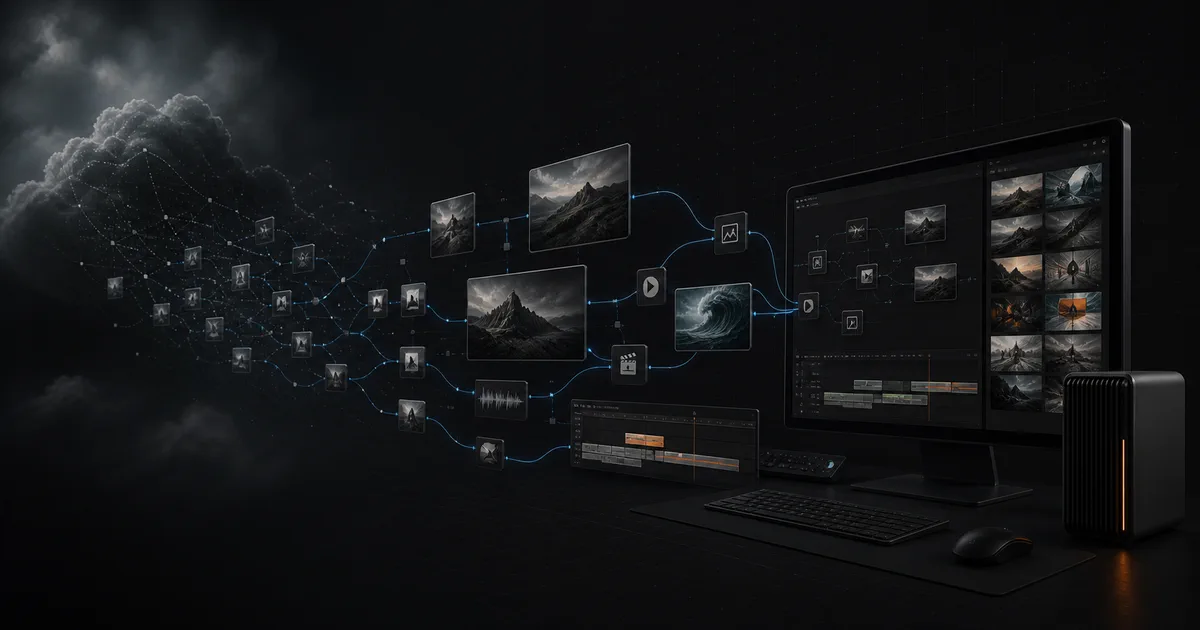
Choose Higgsfield Canvas when a hosted multi-model board, reusable graph templates, and live team collaboration are the priority. Choose BeatDesign when you want an open-source project on your own machine, a canvas connected to a real timeline editor, and an inspectable workflow that an MCP agent can operate beside you.
Higgsfield Canvas alternative: decide by workflow ownership
A useful Higgsfield Canvas alternative should not pretend that every canvas solves the same job. Higgsfield Canvas is a hosted, node-based infinite board for connecting prompts, references, image models, and video models. BeatDesign is a local-first open-source project that connects an infinite canvas, a shared asset library, and a short-form timeline editor around one local SQLite project. Both make visual workflows easier to inspect, but they place ownership in different places.
The fastest decision is this: choose the hosted product when you want the provider to operate the workspace, model catalog, sharing, and collaboration layer. Choose the local project when the files, timeline, project schema, and workflow code need to remain under your control. This is an operating-model comparison, not a claim that one product generates universally better images or videos.
BeatDesign is also not a pixel-for-pixel clone. It currently favors a single-user local workflow, runs from source, and uses a connected provider only after you confirm a generation or analysis request. Higgsfield favors immediate browser access and team collaboration. The right choice depends less on the word “canvas” and more on where you want the durable project to live.
What Higgsfield Canvas is optimized for
Higgsfield’s current first-party Canvas pages describe a node-based board where one prompt can feed an image, that image can feed a video, and outputs can branch into more models or edits. Models can run side by side, an entire graph can be saved as a reusable template, and multiple team members can edit and generate on the same canvas in real time. The help center also documents periodic autosave and model-specific reference behavior.
That makes Higgsfield a strong default for a team that wants a polished hosted surface with minimal setup. A producer can share a link, a designer can add references, and another teammate can run a model without anyone operating local infrastructure. The product also keeps its model catalog and generation controls inside the same account experience.
The trade-off follows from that convenience. The canvas lives inside the hosted account and follows Higgsfield’s product, model, credit, and collaboration rules. According to the current help center, building the graph is free, while every generation made in Canvas deducts credits regardless of Unlimited access elsewhere on the site. Those rules can change, so a production decision should re-check the first-party documentation rather than rely on a copied price table.
What BeatDesign changes
BeatDesign moves the durable source of truth from a hosted account into a project on your machine. Studio, Canvas, Assets, and Editor all read and write the same SQLite-backed project. Imported media is copied into project-owned storage, generated outputs return to the asset library, and selected assets can move from the canvas into the timeline without being exported through a chain of unrelated tools.
The local boundary is practical rather than absolute. Importing, arranging nodes, editing a timeline, previewing, and exporting H.264/AAC MP4 can stay local. When you deliberately submit generation, video analysis, or AI redo, the required request and durable input asset are sent through the configured adapter. BeatAPI is included by default; the adapter boundary is visible in the source and can be extended in a fork.
The timeline is an important difference. Higgsfield Canvas is optimized around multi-model generation graphs. BeatDesign treats generation as one stage in a larger project: clips can be trimmed, split, moved, mixed with audio, checked for gaps or overlaps, redone as non-destructive takes, and exported in the browser. For a creator who wants to go from reference board to a short finished cut, that can remove a handoff.
BeatDesign also exposes 29 local MCP tools across Skills, projects, assets, canvas operations, generation, and editing. An MCP-capable agent can inspect the same persisted state and apply stable commands without pretending to click UI pixels. The visible browser workspace then refreshes from that state, so the person remains able to see and revise what the agent changed.
Who should choose each workspace
Choose Higgsfield Canvas when collaboration speed is the constraint. If several people need to enter the same board today, use Higgsfield’s integrated model catalog, and avoid running a local codebase, the hosted canvas is the more complete answer. It is also the safer recommendation for a non-technical team that does not want to maintain Node.js, pnpm, a local database, or provider connections.
Choose BeatDesign when ownership and continuity are the constraint. It fits a solo creator, technical designer, or product team that works with client media, unreleased products, reusable project structures, or agent-assisted editing and wants those assets and decisions preserved locally. It also fits developers who need to inspect the project schema, change the provider boundary, or add commands instead of waiting for a vendor roadmap.
Do not choose BeatDesign only because it is open source. The current v0.2.2 release runs from source in a current Chrome browser on macOS or Windows. It has no hosted editor, desktop installer, real-time multi-user collaboration, transcription, transitions, speed controls, waveforms, or multiple named timelines. Subtitle tracks and SRT import are available. Those limits matter more than ideology when a team has a deadline.
Do not choose Higgsfield only because it has more models on day one. If the work must end in a locally owned timeline, survive a provider change, or become part of an inspectable agent workflow, count the export and migration steps as part of the decision. A feature list is useful only after you define where the project should live six months from now.
Worked example: from product references to a finished short
Imagine a designer preparing three vertical launch concepts for an unreleased product. The inputs are a pack shot, a logo guide, two location references, a voiceover, and several phone clips. The job is not merely to generate one attractive frame. The designer needs to preserve the source material, explore branches, approve a direction, build a 20-second cut, and hand the project to an agent for repetitive timeline changes.
In Higgsfield Canvas, the fastest path is to upload the references, connect image and video nodes, run alternatives side by side, and share the board for review. The team can save the successful graph as a template and repeat it for another product. If live feedback and rapid multi-model exploration are the primary jobs, this is the cleaner workflow.
In BeatDesign, the same job begins by creating a local project and importing the pack shot, guide, audio, and phone clips into Assets. Canvas holds the visual branches and generated variants. Approved clips move into Editor, where the designer trims timing, mixes the voiceover, diagnoses gaps, and exports the short. An agent can inspect the project and apply defined edits through MCP, while the project media and timeline remain on disk.
Neither path eliminates review. A reference may be interpreted incorrectly, an output may need another attempt, and generated text or logos still require inspection. The meaningful difference is where failed attempts, approved assets, and the final edit remain after the campaign is over. That is the information a generic “best AI canvas” list usually misses.
Higgsfield Canvas vs BeatDesign
| Dimension | Higgsfield Canvas | BeatDesign |
|---|---|---|
| Primary workflow | Hosted multi-model generation graph | Local canvas, assets, and timeline project |
| Project location | Higgsfield account and cloud workspace | SQLite and project-owned media on your disk |
| Collaboration | Live multi-user canvas sharing | Single-user local workflow today |
| Model access | Integrated Higgsfield model catalog | BeatAPI adapter by default; forkable boundary |
| Editing after generation | Continue through Higgsfield tools and exports | Short-form timeline, audio mix, diagnostics, MP4 export |
| Agent control | Higgsfield product integrations and agent surfaces | 29 local MCP tools over the persisted project |
| Setup | Sign in and create a canvas | Clone, install, initialize SQLite, and run locally |
| Best fit | Teams prioritizing hosted collaboration and fast model exploration | Creators prioritizing ownership, extensibility, and local editing |
Choose by this priority
- Choose Higgsfield Canvas if several people need to work live on the same generation graph without maintaining a local codebase.
- Choose BeatDesign if client or unreleased media should remain in a project on your machine until a confirmed provider request needs it.
- Choose BeatDesign if the workflow must continue from branching ideas into a local short-form timeline and browser-side MP4 export.
- Choose neither until you test one representative project with the real references, review path, generation budget, and final delivery format.
Move from a cloud canvas to a local project
- Inventory the current canvasList prompts, source files, generated outputs, model settings, approvals, and the relationships that must survive the move.
- Export original assets, not only previewsKeep the highest-quality source and approved output available. A screenshot of a node graph is documentation, not a reusable project asset.
- Rebuild one representative branchCreate a BeatDesign project, import the assets, rebuild one useful branch on Canvas, and move the approved output into Editor.
- Configure generation only when neededAdd the provider connection after local import and editing work correctly. Submit a small task before moving a full production workflow.
- Verify the final deliverableCheck references, clip timing, audio, aspect ratio, export playback, and the exact local files required to reopen the project.
FAQ
Is BeatDesign a full replacement for Higgsfield Canvas?⌄
No. It is an alternative for a different operating model. BeatDesign prioritizes a local open-source project, timeline editing, and inspectable MCP control; it does not currently replace Higgsfield’s hosted collaboration or identical model catalog.
Can I use BeatDesign without an API key?⌄
Yes. Local import, Canvas work, timeline editing, preview, and MP4 export do not need a key. Generation, video analysis, and AI redo require a configured provider connection.
Does BeatDesign upload every local file?⌄
No. Local files are persisted into the project first. Only the durable project asset required by a confirmed generation request is uploaded through the configured provider or storage path.
Does BeatDesign support real-time team collaboration?⌄
Not in the current v0.2.2 workflow. It is single-user and local-first today. Teams that need simultaneous shared-canvas editing should prefer Higgsfield Canvas or another hosted collaborative tool.
Can an agent edit the BeatDesign project?⌄
Yes. MCP-capable hosts can use 29 local tools to discover Skills and read or change project, asset, canvas, generation, and editor state. The tools operate persisted project commands rather than automating screen pixels.
Can I migrate a Higgsfield graph automatically?⌄
There is no automatic graph importer today. Export the original assets and settings, then rebuild the branches that matter. Treat screenshots as reference documentation rather than machine-readable workflow files.
Which option is better for a non-technical team?⌄
Higgsfield Canvas is the easier starting point because it is hosted and collaboration-ready. BeatDesign makes more sense when someone on the team can run and maintain a local source project and the ownership benefits justify that work.
How should I test before switching?⌄
Use one representative job from source references to final delivery. Record setup time, generation attempts, review handoffs, editing steps, export quality, and whether the project can be reopened without missing media.